
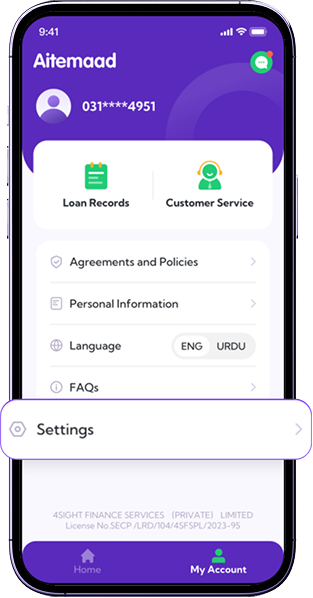
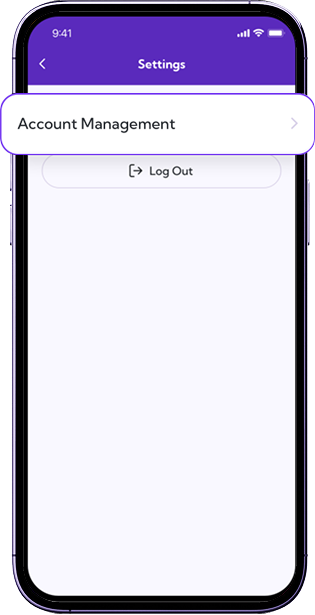
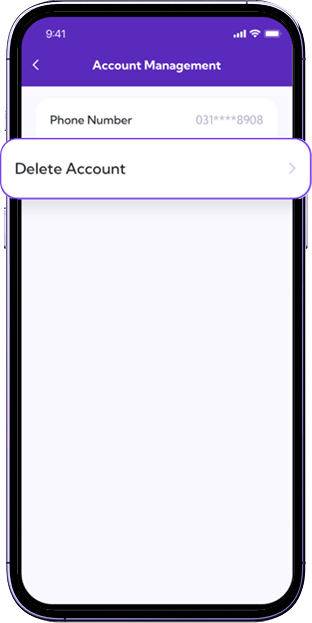
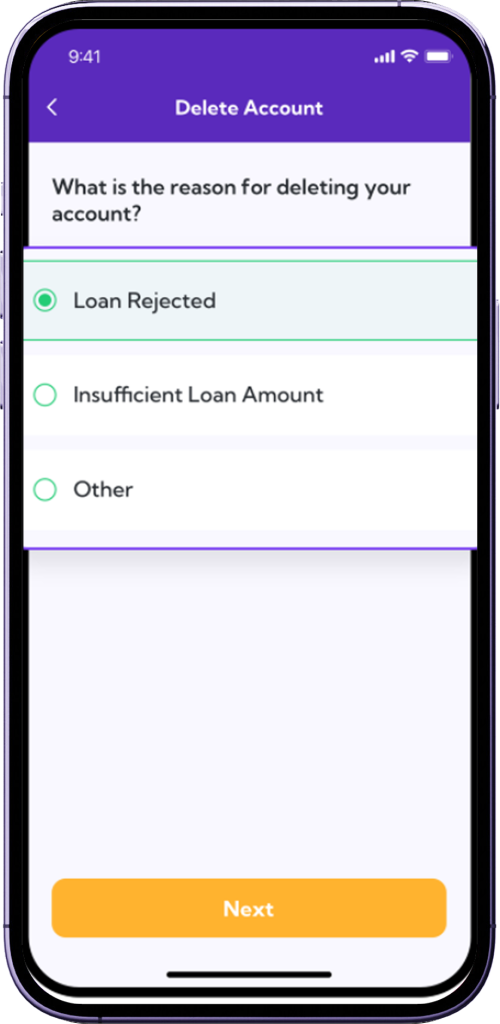
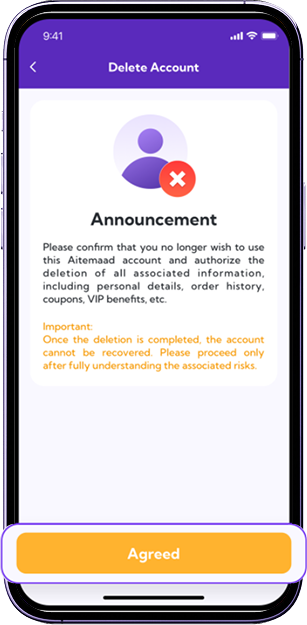
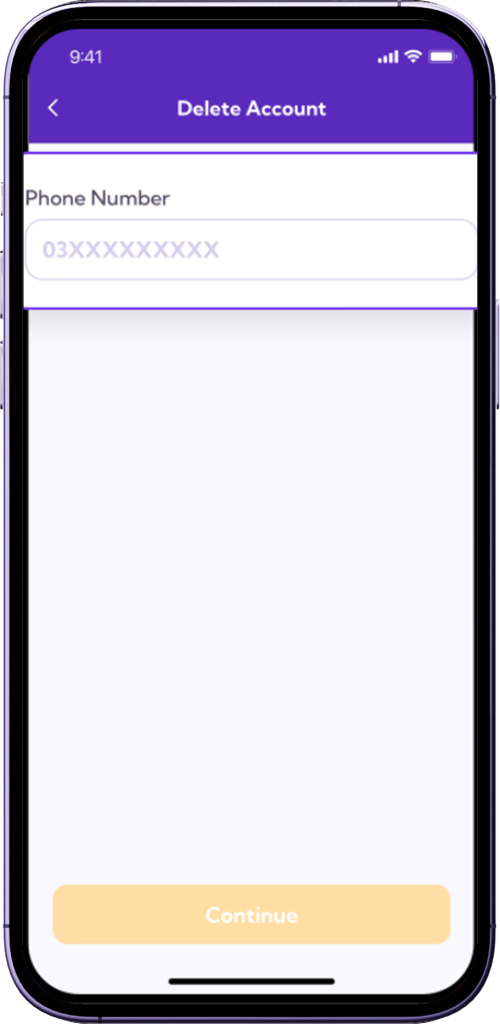
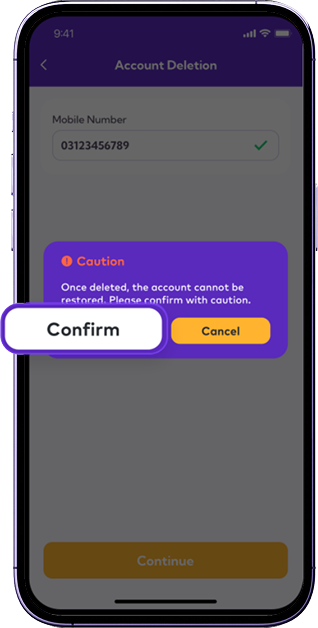
How can I delete my account? Once the deletion takes effect,the account cannot be restored,please continue after understanding the risks.
 Important Notice
Digital Nano loans are short-term loans with high-interest rates and additional charges. It is essential to that you understand potential risk of over-indebtedness. Borrow responsibly and only take loans that you can comfortably repay within the agreed timeframe to avoid financial difficulties. Always read the terms and conditions carefully before availing any loan. Your financial well-being is our priority.
قرض لیتے وقت ہمیشہ ذمہ داری کا مظاہرہ کریں اور صرف اتنا ہی قرض حاصل کریں جو آپ کسی مالی مشکل کا شکار ہوئے بغیر آسانی کے ساتھ مقررہ مدت کے اندر اندر ادا کر سکتے ہیں۔ قرض لینے سے پہلے ہمیشہ دیئے گئے شرائط و ضوابط کو غور سے پڑھیں اور سمجھیں